MIDI Controllers & Expression Pedals
MIDI controllers
Connect via the 3.5mm TRS MIDI I/O ports (Type-A — use a Type-A adapter if you need standard 5-pin DIN), or via USB through the USB Host port. Either way, the controller shows up for assignment once connected — no separate enabling step needed for MIDI learn.
To see MIDI ports represented in the Web UI Constructor, enable them under the MIDI ports setup (Status Bar → MIDI ports icon):
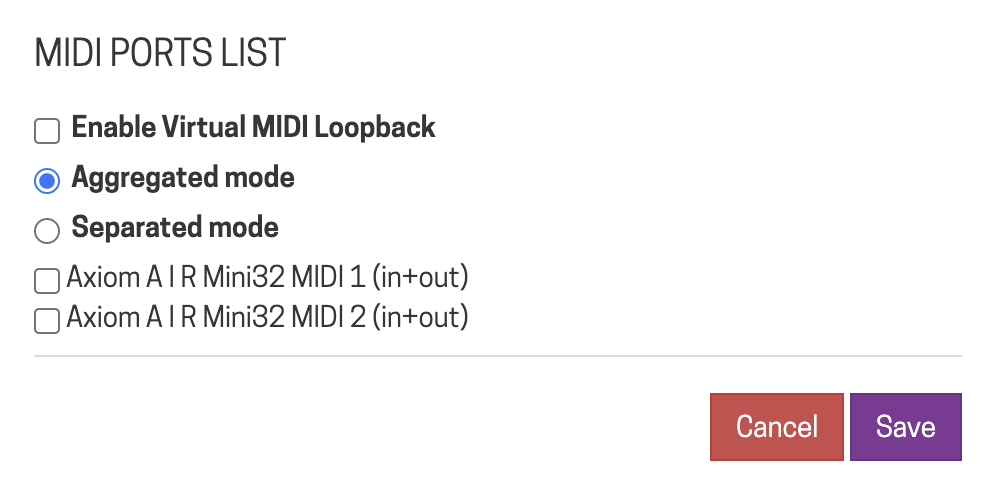
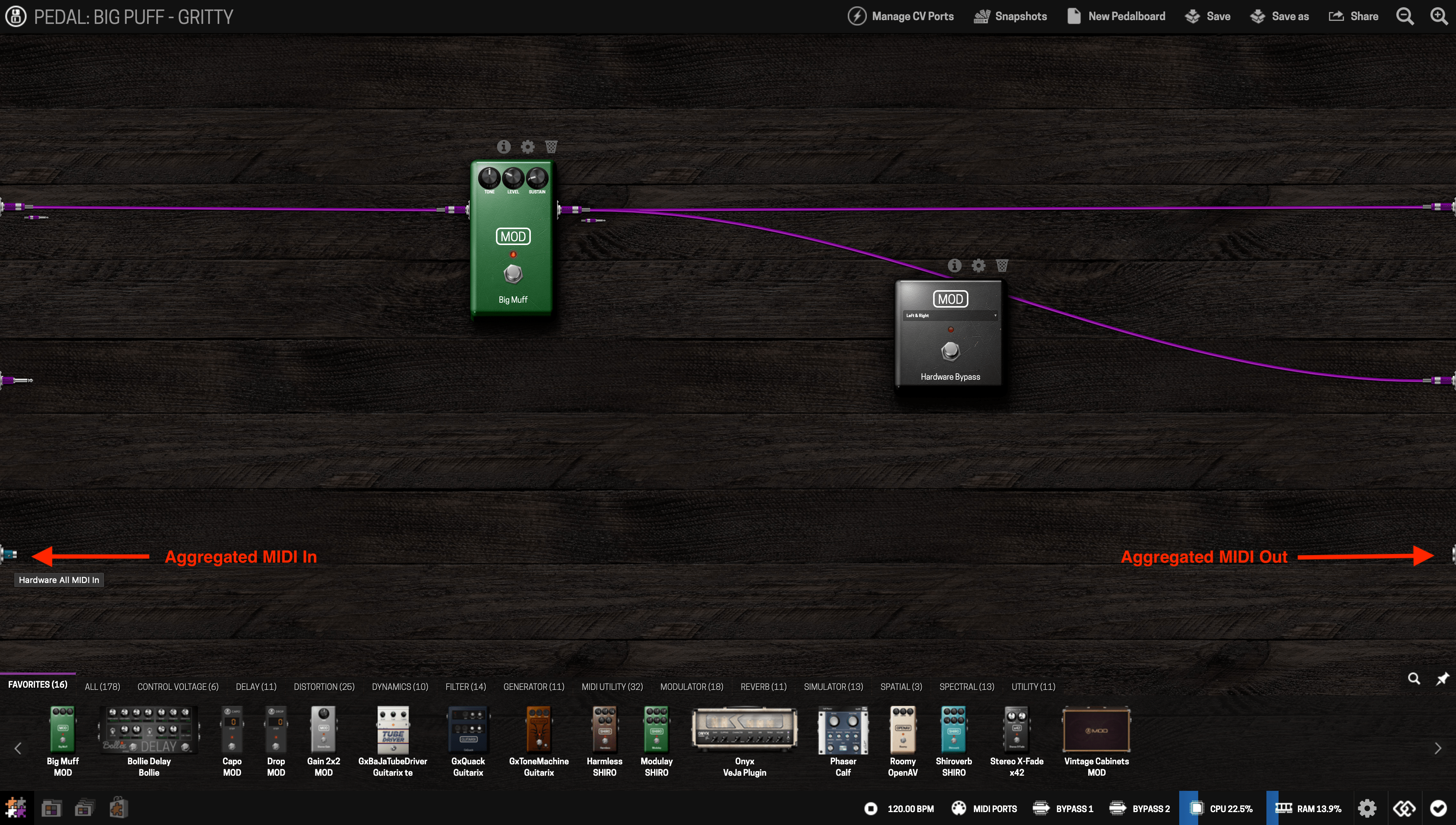
- Aggregated mode — all connected controllers appear as one MIDI In/Out. Simple, but you can't tell controllers apart.
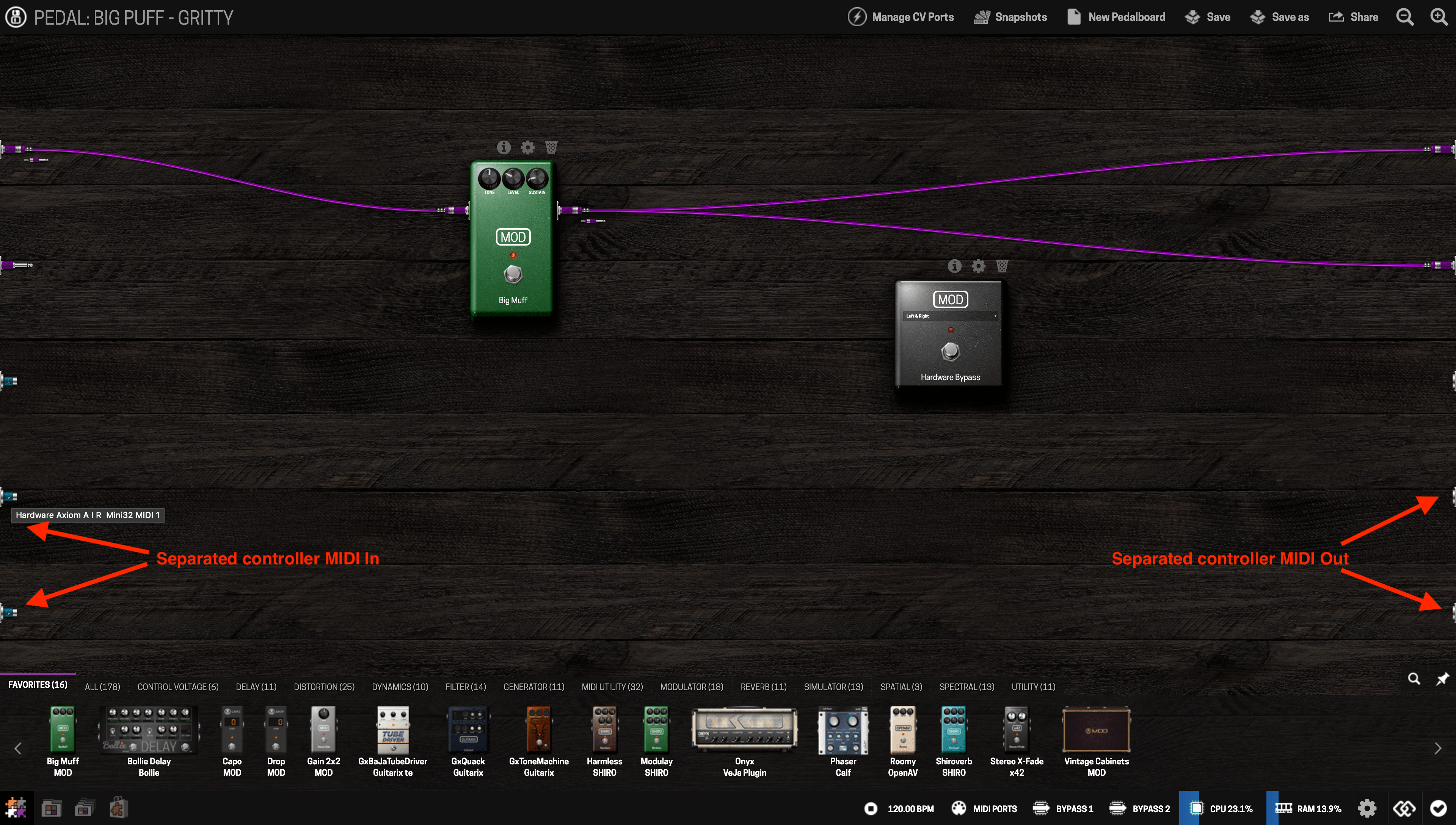
- Separated mode — each enabled controller gets its own port in the Constructor. Use this if you want different controllers playing different instrument plugins.
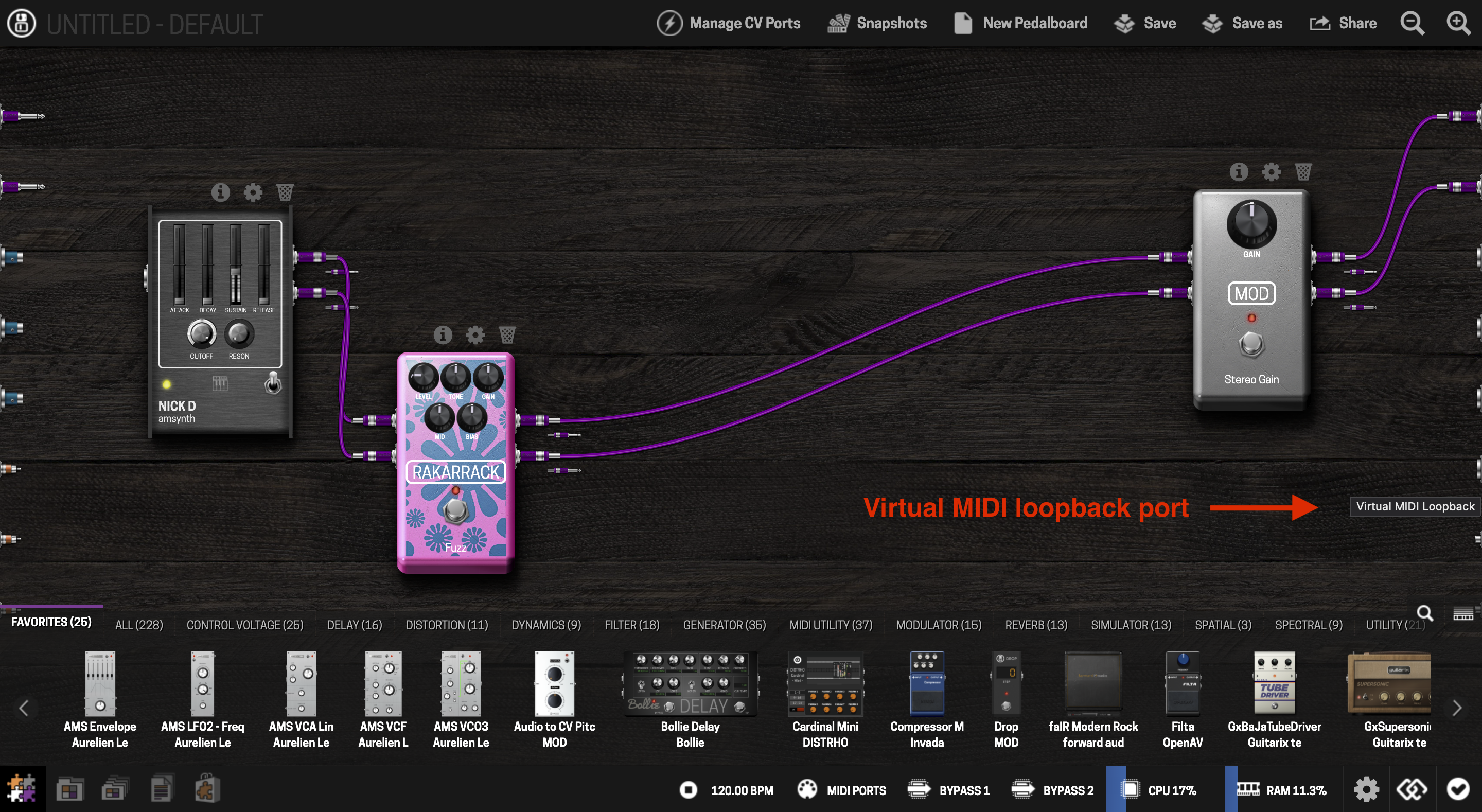
- Virtual MIDI Loopback — routes MIDI output back into the device's own input, as if you'd patched MIDI out to MIDI in with a cable.
Controllers connected via the physical MIDI ports (not USB) can't be individually distinguished, even in Separated mode — that's a limitation of the MIDI hardware itself, not the Dwarf.
Expression pedals
The Dwarf has no dedicated expression pedal input, but there are two ways to add one:
Via Control Chain: build (or buy) a Control Chain-compatible adapter — MOD's Arduino Shield is a DIY option, paired with the Arduino tutorial.
Via MIDI: use an expression-to-MIDI converter, or a MIDI controller with a built-in expression input, connected via the MIDI or USB Host port. Once it's sending MIDI, assign it like any other MIDI control.
Either way, once connected you can assign the pedal to any plugin parameter just like any other control.
Next: Control Chain Devices